

You can do the following guide.
1. Go to cPanel -> File Manager -> public_html -> {publish_folder}/
Sample::
domainname.com, should be in public_html
sub.domainname.com, should be in public_html/sub
2. Upload this file feed.php to the path in number 1.
3. Edit file feed.php at URL feed to your feed.
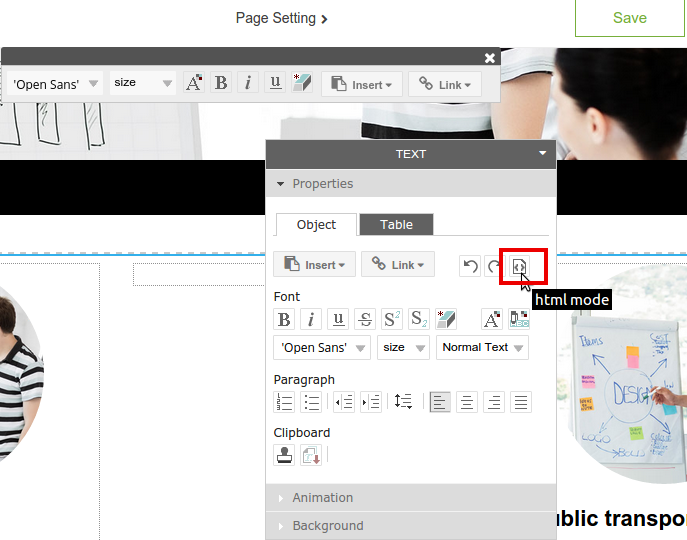
4. Back to RVsitebuilder -> Pages, on Page Editor of the page you want, place mouse on the block you want to insert Feed, and click on “html mode” icon on TEXT Properties toolbar. Then insert the following code:
*https://domainname.com/feed.html is the path you uploaded feed.php to.
5. Republish again.
============================================
