
How to put Logo, Company Name and Slogan
by
RV Support
2025-11-25 07:47:33
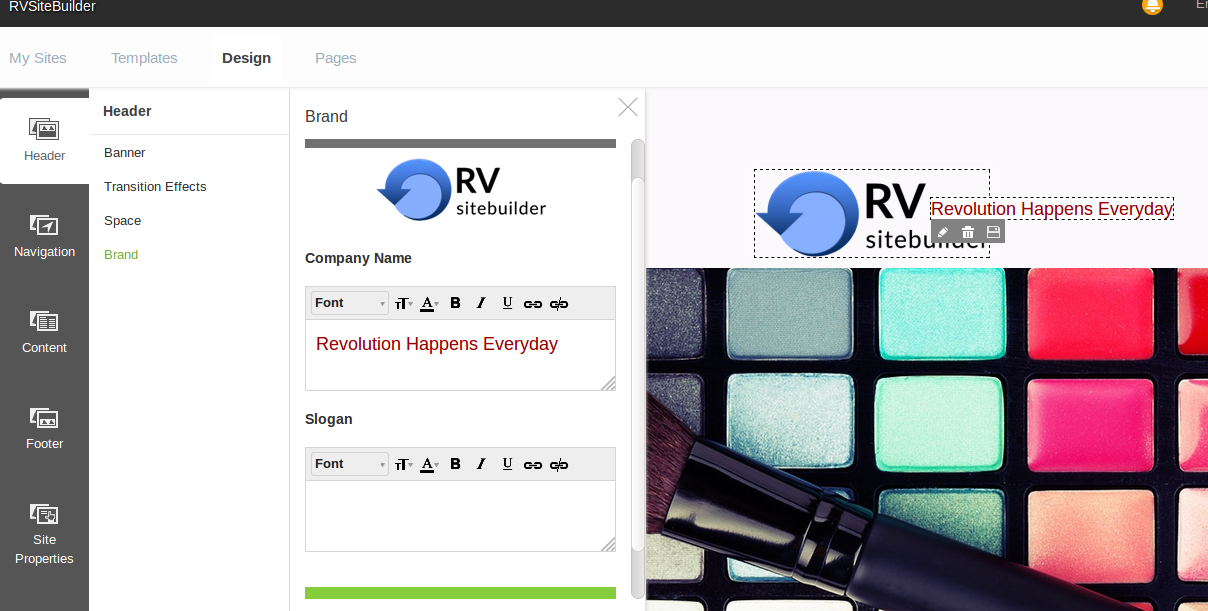
On step Design click on Header -> Space. Then set the Header space as you want.

After that go to Brands, you can add the Logo, Company Name also Slogan here. This one will be on the top of the page.
Articals in this section
-
Make a Bookmark on your page
Updated on 2025-11-18 08:04:58
-
How to add a cookie and privacy banner on RVSB 6?
Updated on 2025-11-18 08:04:58
-
How to check your RVsitebuilder version?
Updated on 2025-11-18 08:04:58
-
How to select language on RVsitebuilder program
Updated on 2025-11-18 08:04:58
-
Added a feature for generating “Privacy Policy” page in RVsitebuilder version 6
Updated on 2025-11-18 08:04:58
-
Adding new page, Rearrange page name on Navigation
Updated on 2025-11-25 08:01:37
-
Adding Paypal widget
Updated on 2025-11-25 08:01:35
-
Adding Section
Updated on 2025-11-25 08:01:35
-
Copy an image from external
Updated on 2025-11-25 08:01:35
-
Create a website with RVsitebuilder 6
Updated on 2025-11-25 08:01:35
