

Create site error "Error: Please allow function : json"
Problem
When you create a website, it error.
Error: Please allow function : json
Reason
RVsitebuilder requires PHP function "json" to enable but it's disabled for your domain name.
Solution
Just simply enable PHP function for alt-php (CloudLinux)
For your domain name
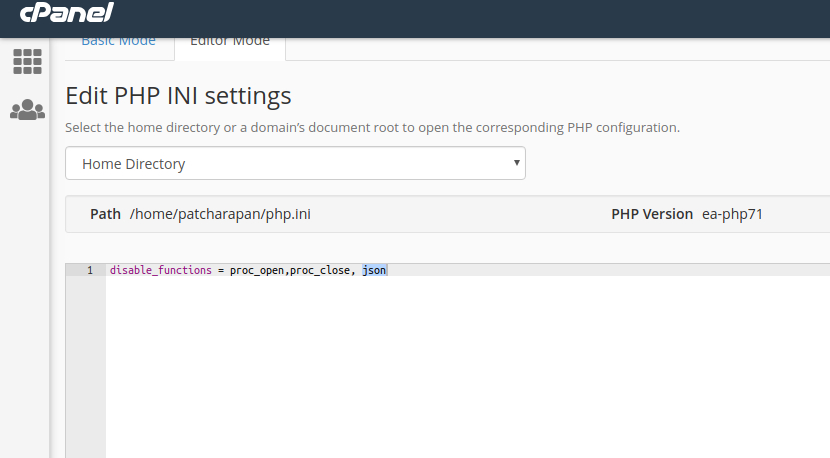
If MultiPHP INI Editor is available on your cPanel account package.
1. Login to your cPanel.
2. Select MultiPHP INI Editor under a Software category.
3. Switch to Editor Mode.
4. Select a location.
5. Remove "json" on "disable_functions" and Save.
For the entire server
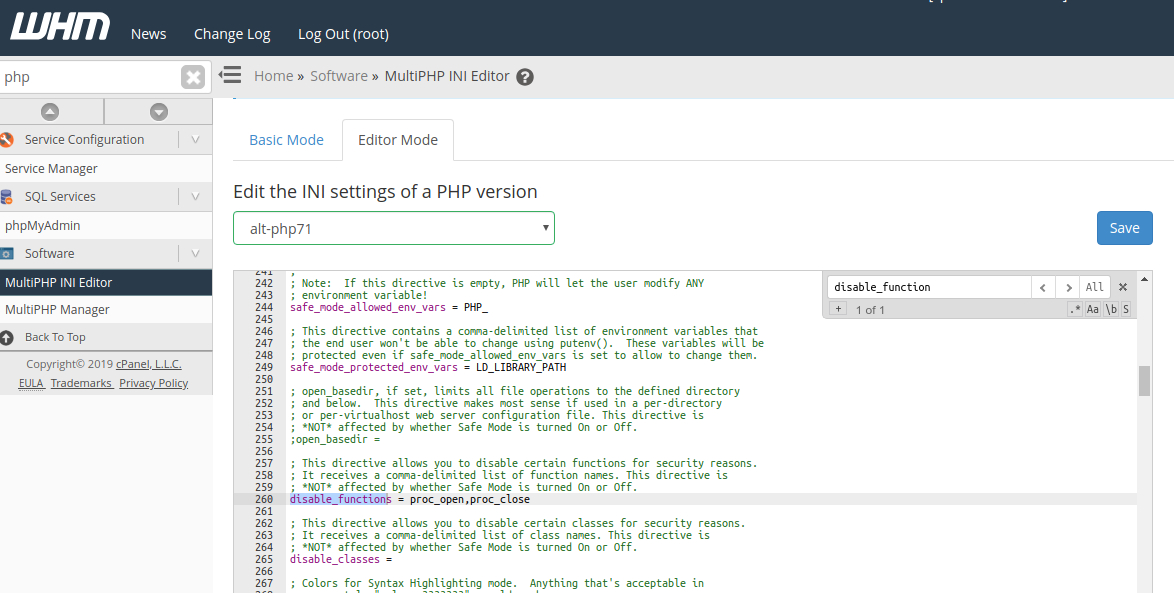
1 Log in to WHM
2. Go to Home->Software->MultiPHP INI Editor.
3. Choose the Editor Mode tab.
4. From the drop-down list choose the PHP version.
5 .In the configuration window that will be opened, search for “disable_functions”.
6. Remove "json" on "disable_functions" and Save.
Articals in this section
-
Create site error "Error: Please allow extension : 'mysqlnd','pdo','gd','curl','iconv', .......
Updated on 2025-11-18 08:05:39
-
Create site error "Error: Please set max_execution_time more than 90"
Updated on 2025-11-18 08:05:39
-
Create site error "Error: Please set memory_limit more than 64M."
Updated on 2025-11-18 08:05:38
-
Edit website returns Admin Login instead of content editor
Updated on 2025-11-18 09:17:55
-
Create site error "Error: Please allow function : 'posix_getpwuid', 'getmyuid', 'fileowner', 'stat', 'file_put_contents', 'parse_ini_file'"
Updated on 2025-11-18 08:05:38
-
Create site error "Error: Please allow function : json"
Updated on 2025-11-18 08:05:38
-
Create site error "Error: Please allow extension : json"
Updated on 2025-11-18 08:05:38
-
Create site error Running tar command unzip failed
Updated on 2025-11-18 08:05:38
-
Create site error "Not enough database"
Updated on 2025-11-18 08:05:37
-
Repair website error Prepare Installer : HTTP/1.1 301 Moved Permanently
Updated on 2025-11-18 08:05:37
