

RVsitebuilder 7 in cPanel shows Blank page
Updated at 2025-10-30 09:03:12
Posted in
(Primary)Install & Create Site Troubleshooting,
Problem
When you click RVsitebuilder 7 icon in cPanel, but it returns BLANK page.
Reason
Your domain name may run behind NAT IP which is not validated by RVsitebuilder installation.
Solution
You can contact your Host Provider to fix this for you by giving them the following guide.
1. Run curl to test domain name :
curl {domainname}
It will show:
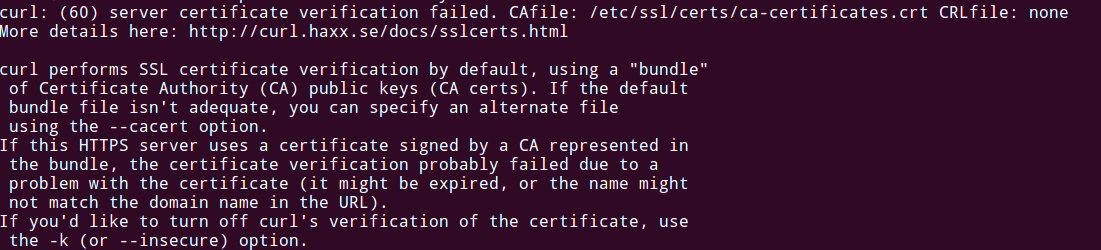
2. Fix the unsolved domain by adding website to the /etc/hosts file:
2.1 Run: nano /etc/hosts
2.2 Add your site to this file.
3. Try to access RVsitebuilder 7 from cPanel again. It should work properly now.
Posts in Category
-
Create site error "Error: Please allow extension : 'mysqlnd','pdo','gd','curl','iconv', .......
Admin Updated on 2025-10-30 09:03:23
-
Create site error "Error: Please set max_execution_time more than 90"
Admin Updated on 2025-10-30 09:03:23
-
Create site error "Error: Please set memory_limit more than 64M."
Admin Updated on 2025-10-30 09:03:22
-
Edit website returns Admin Login instead of content editor
Admin Updated on 2025-10-30 09:03:17
-
Create site error "Error: Please allow function : 'posix_getpwuid', 'getmyuid', 'fileowner', 'stat', 'file_put_contents', 'parse_ini_file'"
Admin Updated on 2025-10-30 09:03:17
Admin