How to find your project ID in RVsitebuilder
Updated at 2025-10-30 08:57:56
Posted in
(Primary)Creating Website,
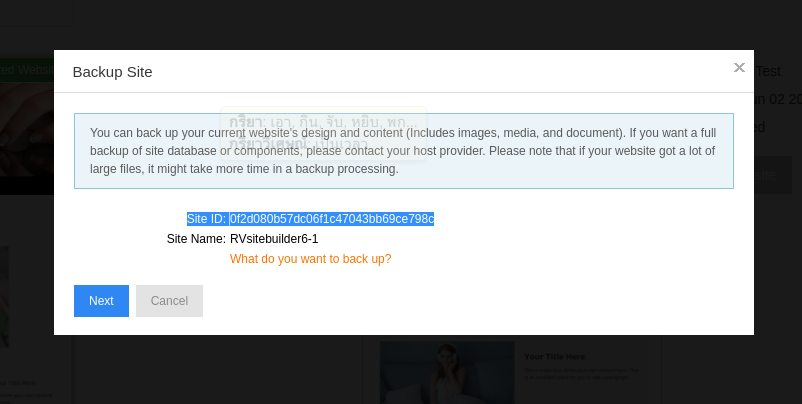
The project ID can find in the program by hover mouse at the bottom bar
Or clicking on the Backup icon, the project id will appear.
Posts in Category
-
Make a Bookmark on your page
Admin Updated on 2025-10-30 08:58:08
-
How to add a cookie and privacy banner on RVSB 6?
Admin Updated on 2025-10-30 08:58:07
-
How to check your RVsitebuilder version?
Admin Updated on 2025-10-30 08:58:06
-
How to select language on RVsitebuilder program
Admin Updated on 2025-10-30 08:58:03
-
Added a feature for generating “Privacy Policy” page in RVsitebuilder version 6
Admin Updated on 2025-10-30 08:58:00
Admin