

The solution for the database warning when you go Edit your website in cPanel.
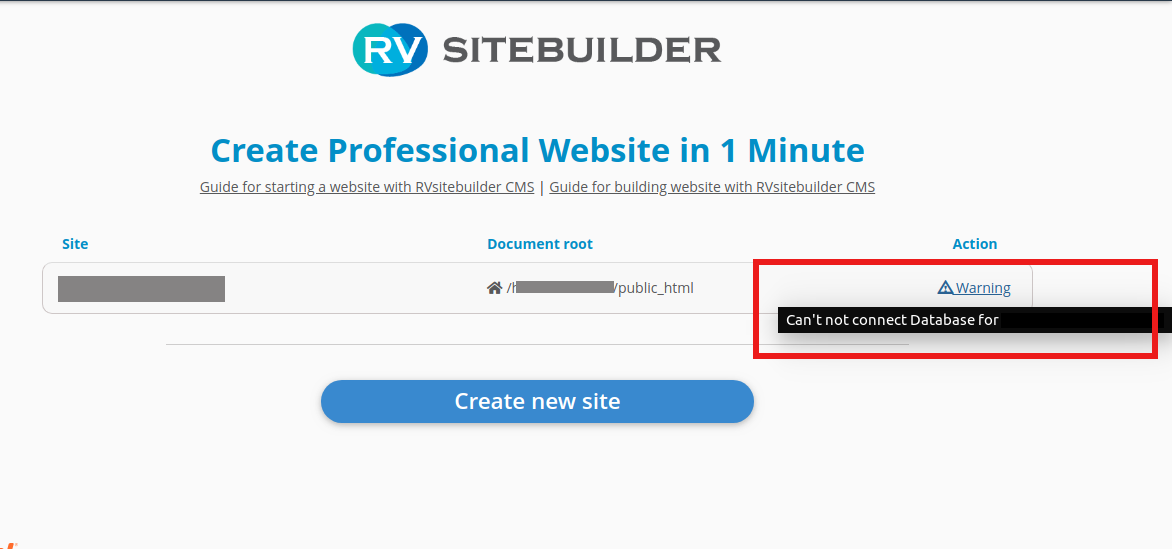
How to fix
Check Database in .env file
1. Copy .env file to a new one with .env.bak
cPanel -> File Manager -> /home/
/home//rvsitebuildercms/
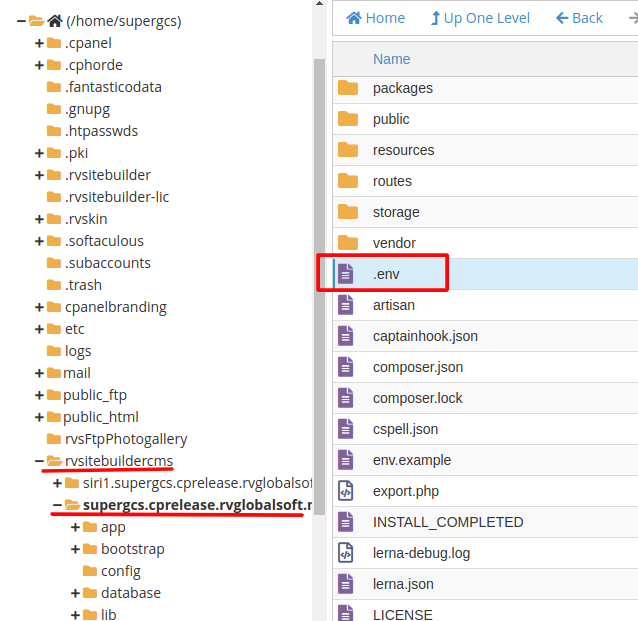
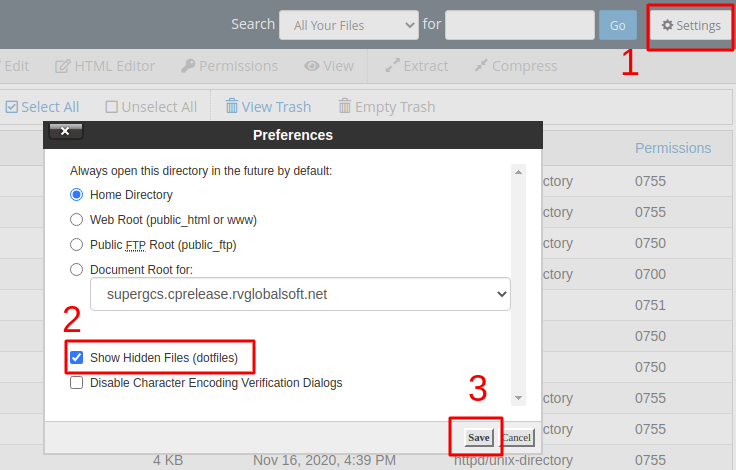
If you can't find it, you can simply enable it in Setting -> Show Hidden Files.
2. Access .env for Database information
DB_HOST=
DB_DATABASE=
DB_USERNAME=
DB_PASSWORD=
If you found Database info, please continue to A.
If you could not find Database info, please go to B.
A. Restore database info in MySQL
Go to MySQL® Databases to check and make sure Database information is correct with .env file in number 2.
1. If the Database Name and Database User are in MySQL
1) Make sure the Database name has the Privilege User correct with .env file
2) Access to RVsitebuilder 7 to click Edit your website again. It should be working fine.
2. If you could not find the Database in MySQL, it's probably deleted by some actions. You can follow the solution below.
1) Download the Backup file (if any) in cPanel -> Backup.
2) Click upload file at Restore a MySQL Database Backup.
3) Check in MySQL again to make sure the Database Name and Privilege User are correct with .env file.
3. If you don't have the Backup file for the lost Database.
Please go to cPanel -> RVsitebuilder 7, and click the Create New Site to start the new website for you domain name. It will create the new Database.
B. Restore .env backup file
1. Go to .env file
cPanel -> File Manager -> /home/
/home//rvsitebuildercms/
You will see list of .env files such as:
.env
.env.backup1
.env.backup2
.env.backup3
2. **Make sure you did "1. Copy .env file to a new one with .env.bak" already.**
Then Rename .env.backup1 to .env
3. Access RVsitebuilder to Edit your website. It should work fine now.
=====================================
