

Add Custom Font
by
RV Support
2025-11-25 08:05:39
You can add the font style from your computer in order to use in your website.
NOTE: The added fonts will only display on computers that have it installed.
In Step 2 -> Content -> Add New Font
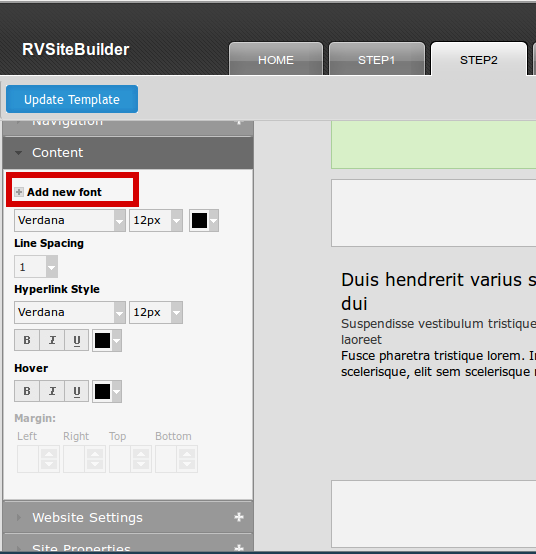
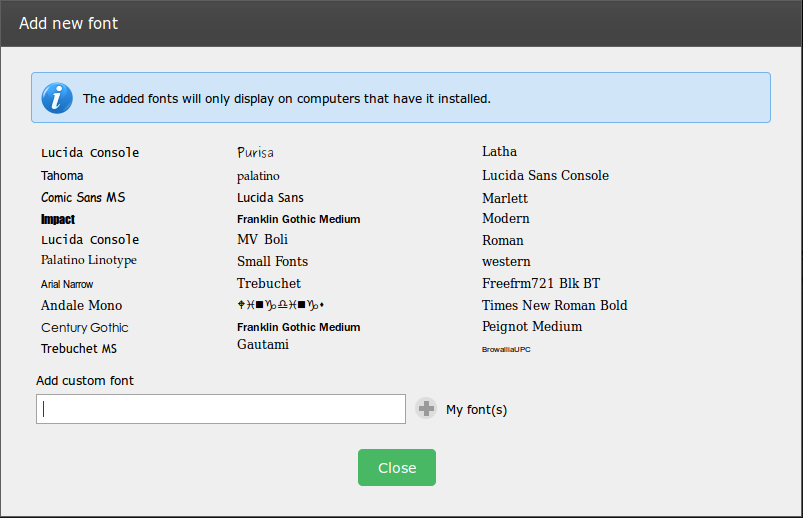
The Add new font window appears.
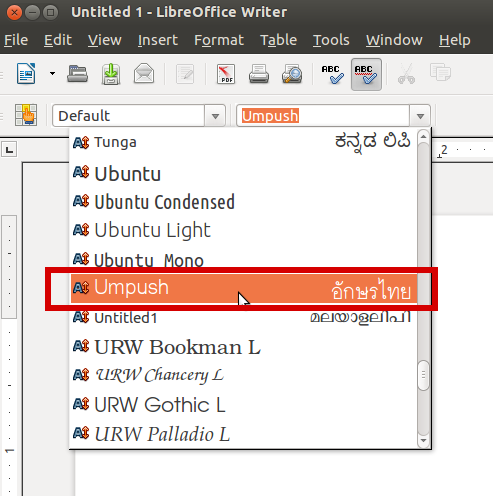
Copy the name of font style you like, from MSWord in your computer.
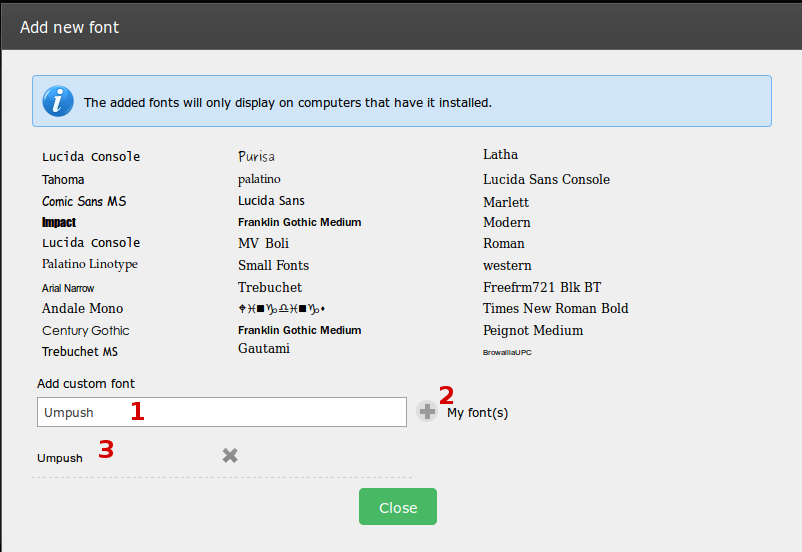
Back to Add font style window
1) Paste the font style in the field.
2) Hit “+” symbol to add the font.
3) The added font appears.
The added font is now available to be selected in In Step 2 -> Content
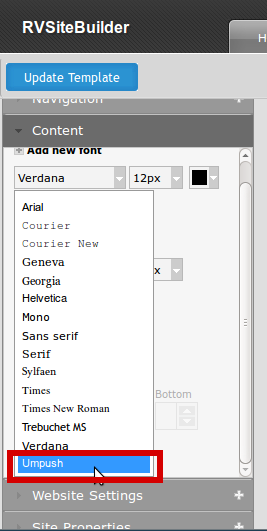
You can select the added font, and see preview on the right hand.
And don’t forget to press “Update Template” to save the settings.
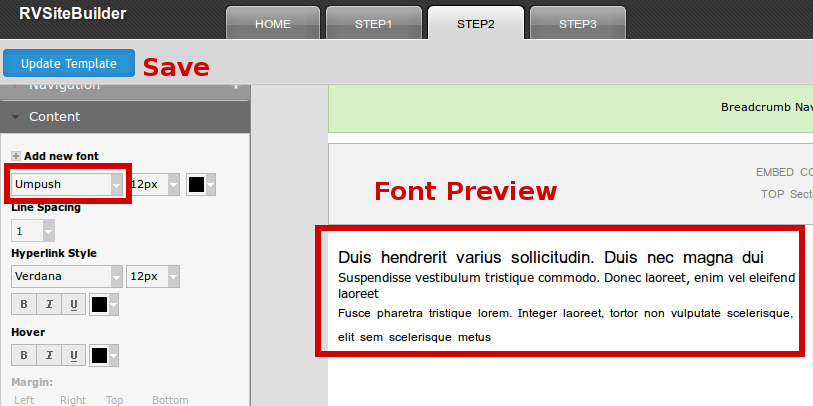
Everything you did in Step 2 , please don't forget to save by "Update Template" button at the top of step2.
Articals in this section
-
RVSitebuilder 5.4 Release Notes
Updated on 2025-11-18 08:05:28
-
Add Custom Font
Updated on 2025-11-25 08:05:39
-
Add Google Maps with Widget feature in RVsitebuilder
Updated on 2025-11-25 08:05:15
-
Add your image(s) for website banner
Updated on 2025-11-25 08:05:15
-
Change Page Layout in WYSIWYG Editor
Updated on 2025-11-18 09:17:55
-
Copy and Paste Content/Code from the external source
Updated on 2025-11-25 08:05:15
-
Create a website with multi-language
Updated on 2025-11-25 08:05:15
-
Setup Contact Form Sender for Online Form, Contact Us in website
Updated on 2025-11-18 08:05:27
-
Set Website to display on Mobile
Updated on 2025-11-25 08:05:15
-
Set background color/image for Body(content) area
Updated on 2025-11-18 09:17:55
