

Image Properties
by
RV Support
2025-11-25 08:05:15
1. If your project was created with RVsitebuilder 5.2 , and got updated to RVsitebuilder 5.4. You will be with the Old WYSIWYG.
You need to push a Right Click on the Image, in order to open Image Properties.
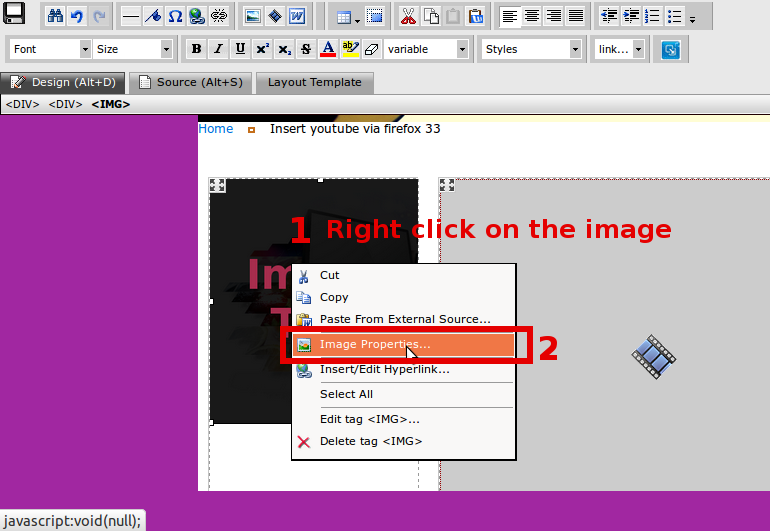
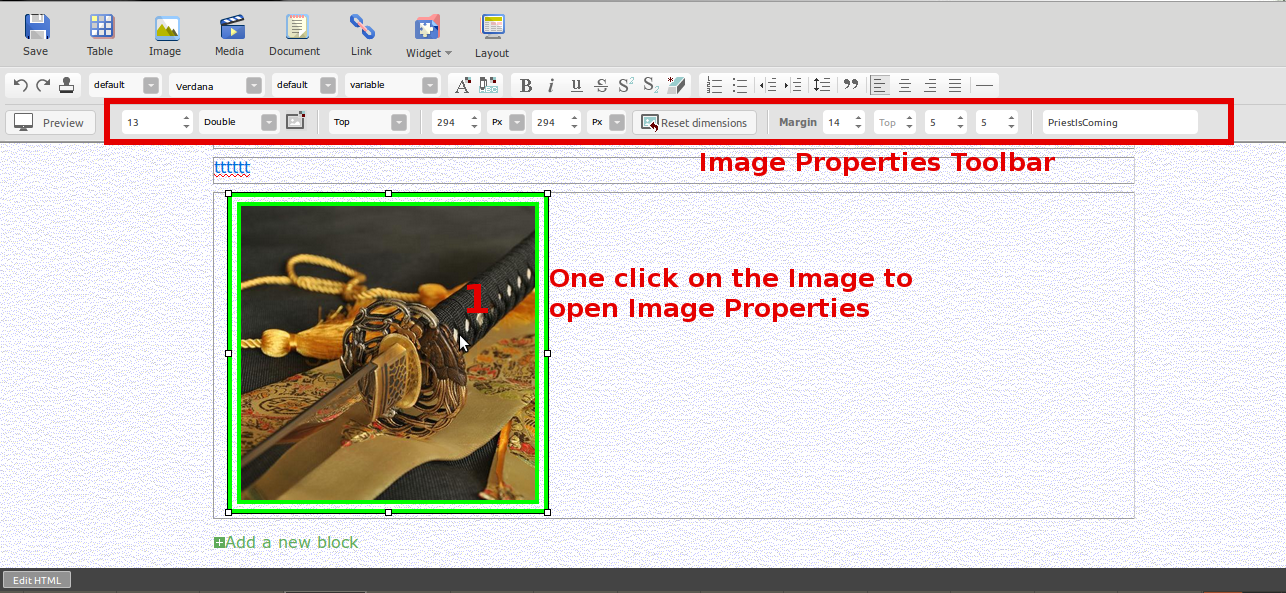
2. If your project is a fresh created in RVsitebuilder 5.4. You’ll get New WYSIWYG.
You need to push a Left Click on the Image, in order to open Image Properties.
Articals in this section
-
RVSitebuilder 5.4 Release Notes
Updated on 2025-11-18 08:05:28
-
Add Custom Font
Updated on 2025-11-25 08:05:39
-
Add Google Maps with Widget feature in RVsitebuilder
Updated on 2025-11-25 08:05:15
-
Add your image(s) for website banner
Updated on 2025-11-25 08:05:15
-
Change Page Layout in WYSIWYG Editor
Updated on 2025-11-18 09:17:55
-
Copy and Paste Content/Code from the external source
Updated on 2025-11-25 08:05:15
-
Create a website with multi-language
Updated on 2025-11-25 08:05:15
-
Setup Contact Form Sender for Online Form, Contact Us in website
Updated on 2025-11-18 08:05:27
-
Set Website to display on Mobile
Updated on 2025-11-25 08:05:15
-
Set background color/image for Body(content) area
Updated on 2025-11-18 09:17:55
