logo
  • Contact Us |
  • Login
  • Login
  • RVglobalsoft
  • RVsitebuilder
  • RVskin
  • RVssl
  • Support
  • Partner
    • RVsitebuilder NOC Partner
    • RVskin NOC Partner
    • SSL Reseller Program
  • Products
    • cPanel
    • CloudLinux
    • Softaculous
    • RVskin
    • RVsitebuilder
    • RVssl
    • Virtualizor
  • Installation
  • Why Us?
order
  • Support
  • Submit Ticket
  • Verify License
Knowledge Base RVsitebuilder 5, 6 > Version 6 Creating Website

Create a website with multi-language in RVsitebuilder 6

by RV Support
2025-11-25 08:01:34

Please note that, this is NOT the multi-language user interface feature, which you can choose any languages in our program. Here, we talk about the published website which will display in multiple languages, which you'll need to insert the content for those languages by yourself.

We suggest 2 instructions
1.If you has a few page on your website
2.If you has a lot of page on your website  

1. If you has a few page on your website.

You need to create separate page for each language by following explanations.

1. Create a page for the 1st language
2. Create another page for the 2nd language, and set it as the internal page (You can duplicate page, if you want the same layout and image)

3. Go to the 1st language page:

3.1) Go to Page Editor
3.2) Create new available box  

4) Type keywords for your language selections (sample: EN|FR)

Optional: You can insert this word on the Banner  Design -> Header -> Brand -> Slogan (In case you are not use the Slogan section)

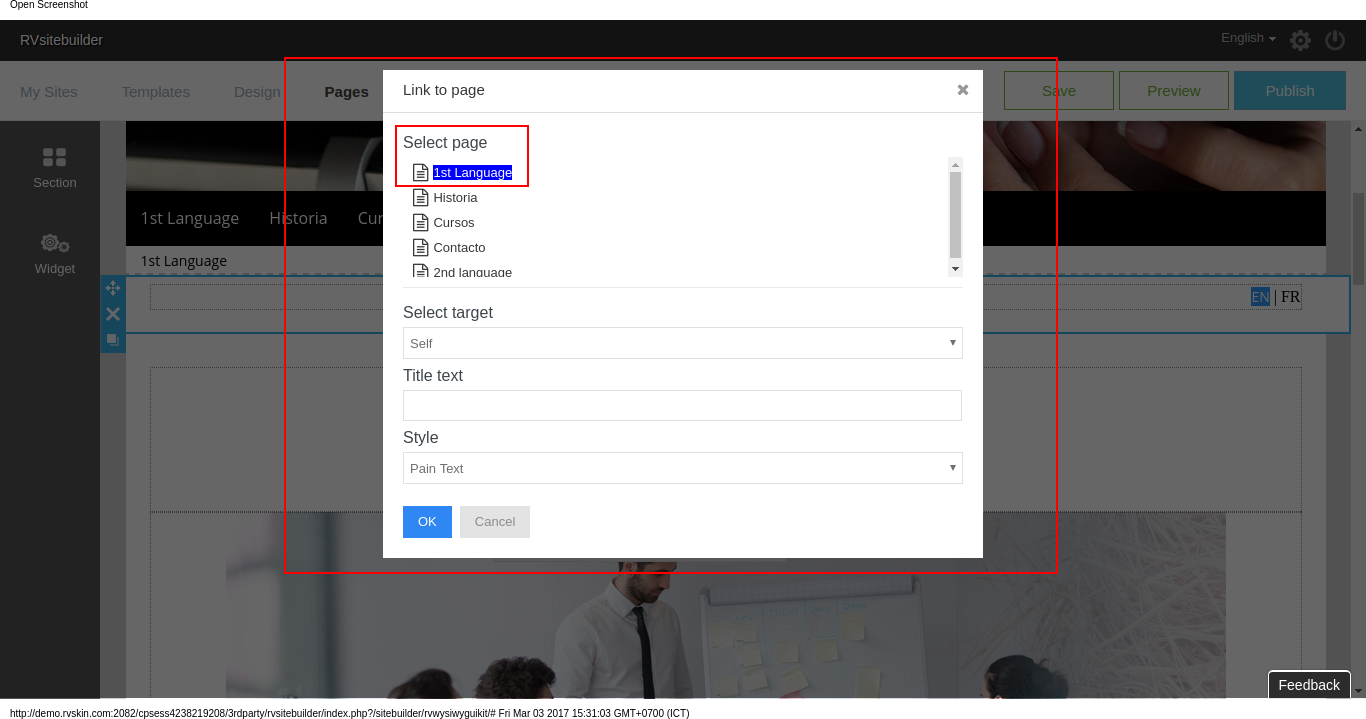
5) Create link to page on both languages by specifying page you have created in No. 1,2 above.

*This setting will take effect by page, not the entire website. You’ll need to do every single page. 

2. If you has a lot of page on your website  

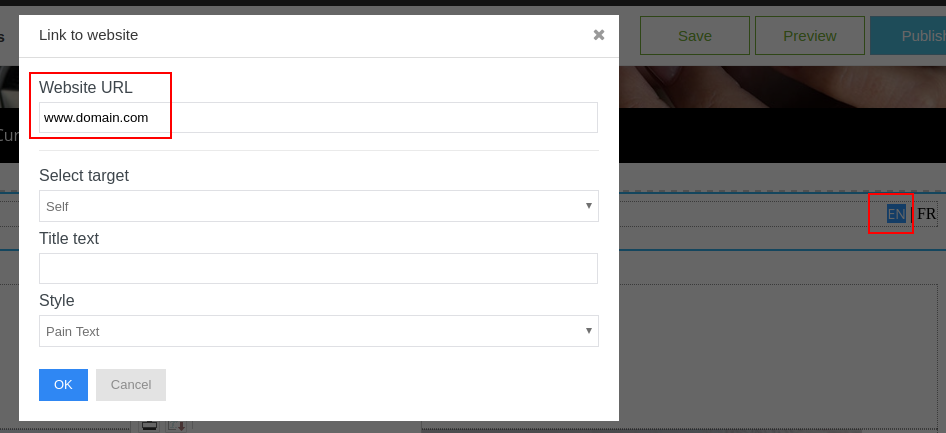
1. Create a project for the 1st language, and publish (sample: www.domain.com)
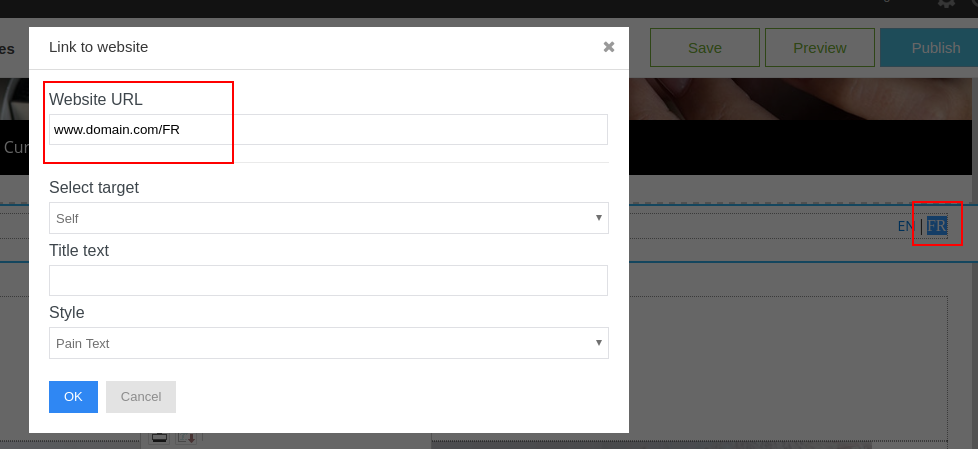
2. Create another project for the 2nd language, and publish (sample: www.domain.com/FR)

3. Go to the 1st project:

3.1) Go to Page Editor
3.2) Create new available box
3.3) Type keywords for your language selections (sample: EN|FR)
3.4) Create link to website on both languages by specifying domains you have created in No. 1,2 above.  

*This setting will take effect by page, not the entire website. You’ll need to do every single page. Sample : Home page, EN with www.domain.com, and FR with www.domain.com/FR Contact Us page, EN with www.domain.com/contactus, and FR with www.domain.com/FR/contactus
Preview and Publish Website in RVsitebuilder 6 Previous How to adjust block properties: Move, Duplicate, Set Parallax Effect, DeleteNext

Articals in this section

  • Make a Bookmark on your page
    Updated on 2025-11-18 08:04:58
  • How to add a cookie and privacy banner on RVSB 6?
    Updated on 2025-11-18 08:04:58
  • How to check your RVsitebuilder version?
    Updated on 2025-11-18 08:04:58
  • How to select language on RVsitebuilder program
    Updated on 2025-11-18 08:04:58
  • Added a feature for generating “Privacy Policy” page in RVsitebuilder version 6
    Updated on 2025-11-18 08:04:58
  • Adding new page, Rearrange page name on Navigation
    Updated on 2025-11-25 08:01:37
  • Adding Paypal widget
    Updated on 2025-11-25 08:01:35
  • Adding Section
    Updated on 2025-11-25 08:01:35
  • Copy an image from external
    Updated on 2025-11-25 08:01:35
  • Create a website with RVsitebuilder 6
    Updated on 2025-11-25 08:01:35
Privacy Policy   |   Terms of Service   |   Business SLA

rvsitebuilder

facebook twitter linkedin googleplus

COMPANY

Support
Contact
Login
Register
Why Us

SSL CERTIFICATES

Symantec
Thawte
Geotrust
RapidSSL

PRODUCTS

cPanel
CloudLinux
Virtualizor
Softaculous

LINKS

RVssl
RVskin
RVsitebuilder
Blog
RVskin Reseller
RVsitebuilder Reseller

Follow us

© 2020 - 2025 Netway Communication Co.,Ltd. All Rights Reserved.

Contact Us

  • Your address
  • admin@admin.com
RVglobalsoft | RVsitebuilder | RVskin | RVssl | Support | Partner
2026 Company Inc. All rights reserved.   Powered by RVsitebuilder
  • RVglobalsoft
  • RVsitebuilder
  • RVskin
  • RVssl
  • Support
  • Partner
    • RVsitebuilder NOC Partner
    • RVskin NOC Partner
    • SSL Reseller Program