

How to revoke your SSL Certificate
by
RV Support
2025-11-27 09:43:48
You can revoke your (Active)SSL Certificate with the following.
1. Login to your client area at https://rvglobalsoft.com/clientarea/ -> Services -> SSL Certificate, and navigate to the related SSL Certificate (status needs to be Active only).

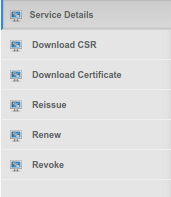
2. Click “Revoke”.
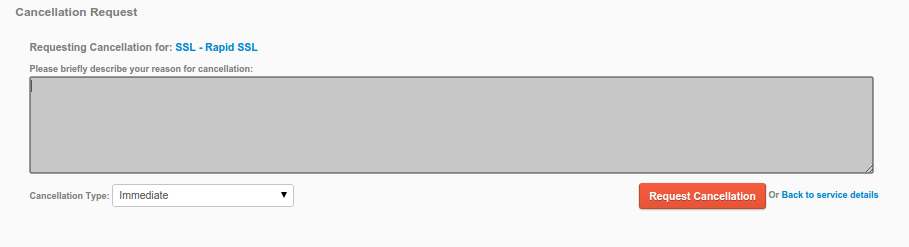
3. Revocation process will require the reason of SSL Certificate revocation.
Please provide some before clicking “Request Cancellation”
4. Once the Revocation Request validated by Brand Authority, you’ll receive a Revocation Confirm Email.
Please confirm in the link in the Email to complete the SSL Certification revocation.
Articals in this section
-
SSL/TLS Certificate Reduced to 47 Days
Updated on 2025-11-18 08:04:51
-
How to make SSL Certificate order with SAN package
Updated on 2025-11-27 10:00:18
-
How to reissue SSL Certificate
Updated on 2025-11-27 09:57:55
-
What Is SSL?
Updated on 2025-11-18 08:04:51
-
What does red or broken Padlock means?
Updated on 2025-11-27 09:55:15
-
How long does it take to issue a SSL certificate?
Updated on 2025-11-27 09:53:22
-
Why is my SSL web page insecure? Why not complete padlock?
Updated on 2025-11-27 09:51:40
-
SHA-2 server and browser compatibility
Updated on 2025-11-27 09:49:38
-
How to add CAA Record
Updated on 2025-11-18 08:04:51
-
SSL Pricing for Japan
Updated on 2025-11-27 09:47:38
