

Can't save page contents. How to Enable/Disable Modsecurity for a specific Domain on cPanel Server
by
RV Support
2025-11-18 08:05:43
Problem: You can't save page contents.
Check error log
tail -f /usr/local/apache/logs/error_log
or
tail -f /usr/local/apache/logs/modsec_audit.log
Error message
Message: Access denied with code 403
Cause of the error: Modsecutiry for the Domain is enabled.
Solution: Disable Modsecutiry for a Domain.
1. Login to WHM as ‘root’ user. If you don't have root privilege, please contact your host provider to do this for you.
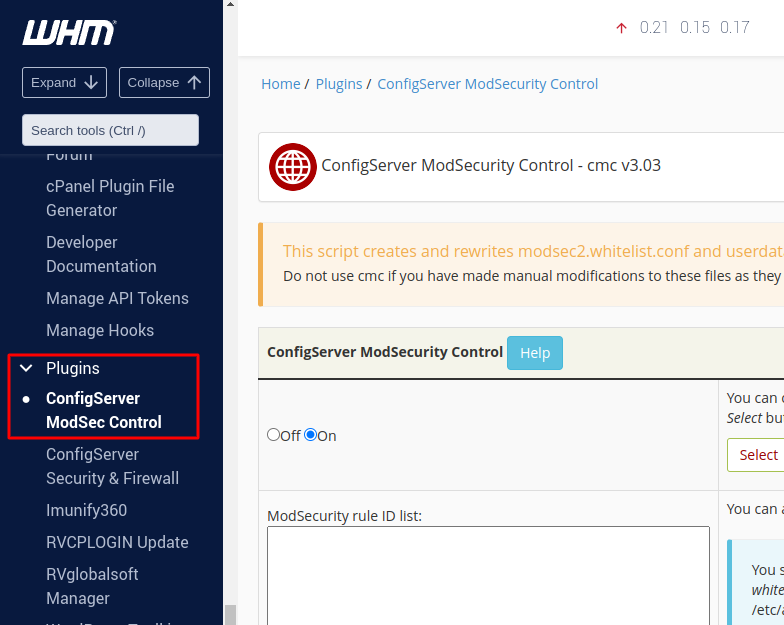
2. Search for “ConfigServer ModSecurity Control” in the WHM search bar
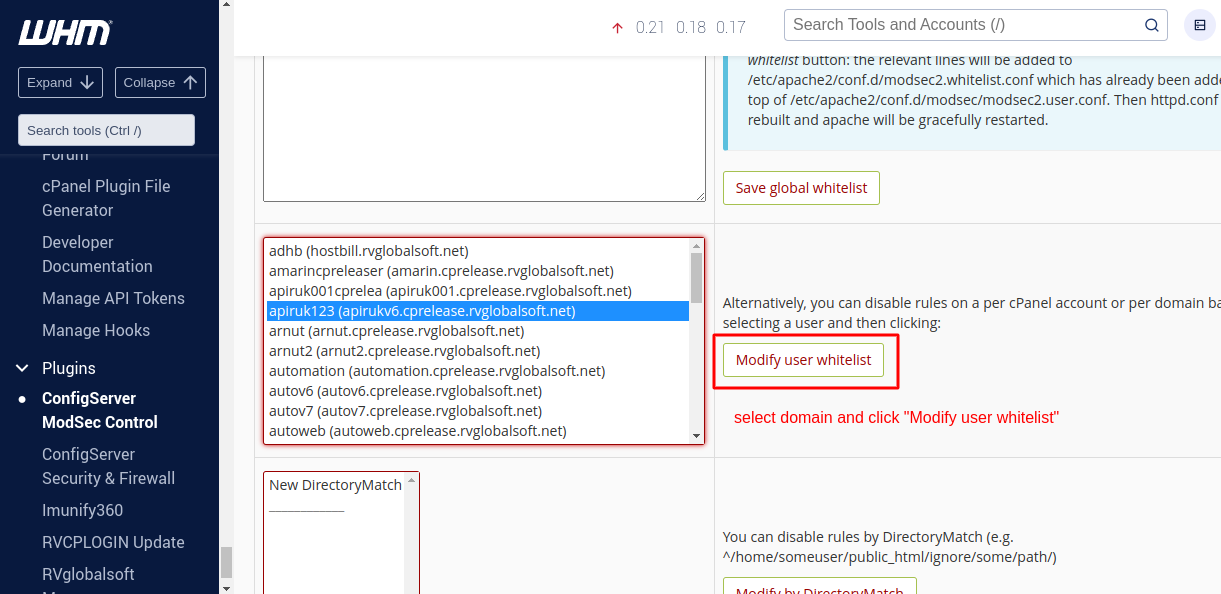
3. Select the domain name from the dropdown and Click on “Modify User Whitelist”
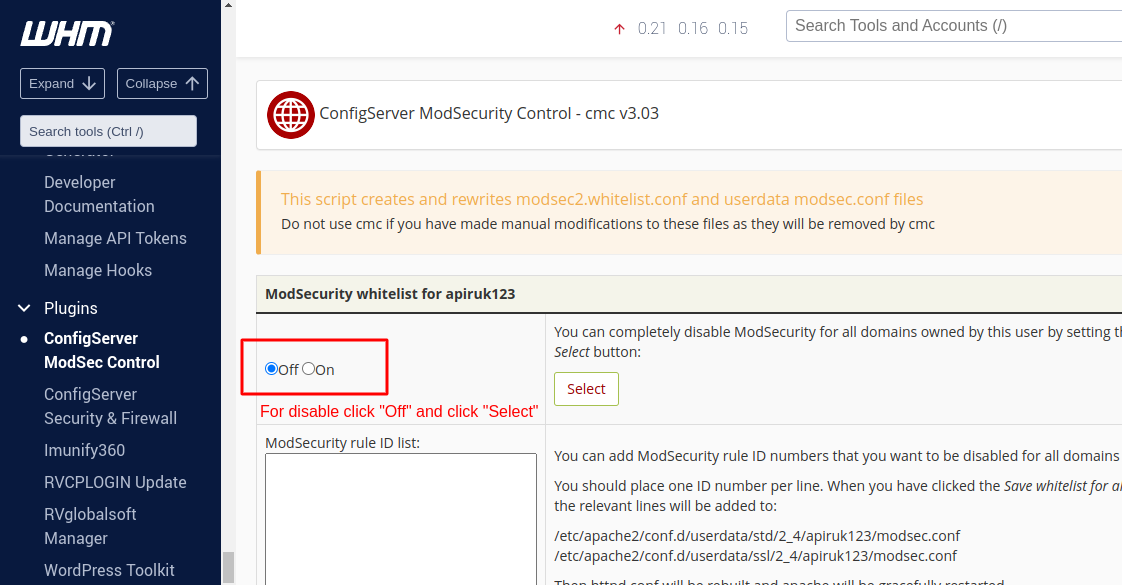
4. In the next page you can Disable/Enable ModSecurity by this cPanel user.
5. Back to Page Editor in RVSitebuilder 7 and Save content again.
=========
Articals in this section
-
Can't save page contents. How to Enable/Disable Modsecurity for a specific Domain on cPanel Server
Updated on 2025-11-18 08:05:43
-
Upload image Error 500 Can't write image data
Updated on 2025-11-18 08:05:43
-
Uploading image gets Error 500
Updated on 2025-11-18 08:05:42
-
I got captcha error "ERROR for site owner: Invalid site key" when I added captcha to register page
Updated on 2025-11-18 09:18:35
-
My Site Background is turned WHITE after I changed Template
Updated on 2025-11-18 08:05:42
-
I can't Save my website after Sections removed
Updated on 2025-11-18 08:05:42
-
When removing all text in button, the button style disappear.
Updated on 2025-11-18 08:05:41
-
A button was removed when removing a button link.
Updated on 2025-11-18 08:05:41
-
Section Background color doesn't change
Updated on 2025-11-18 08:05:41
-
Favicon doesn't change
Updated on 2025-11-18 09:18:35
