

Add User to access to RVlogin Single sign-on
by
RV Support
2025-11-25 07:47:33
To add user:
WHM(root) -> Plugins -> RVglobalsoft Manager -> RVlogin Manager -> User Management -> Add User.
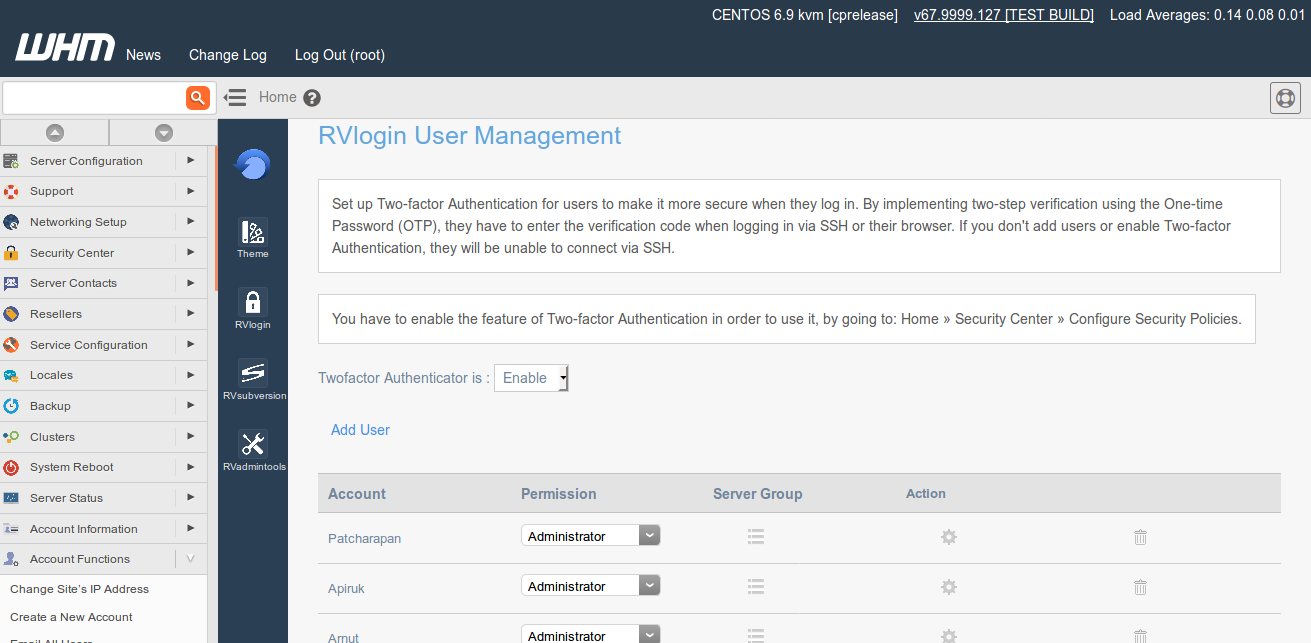
Add user to access to WHM (RVlogin) with Two-Factor Authentication.
To add user, you must have Google Authenticator application. Two-Factor Authentication will be required for WHM/SSH Root Access if it's enabled. If Two-Factor is disabled, RVlogin Single sign-on on WHM will be accessed by anyone who has root password.
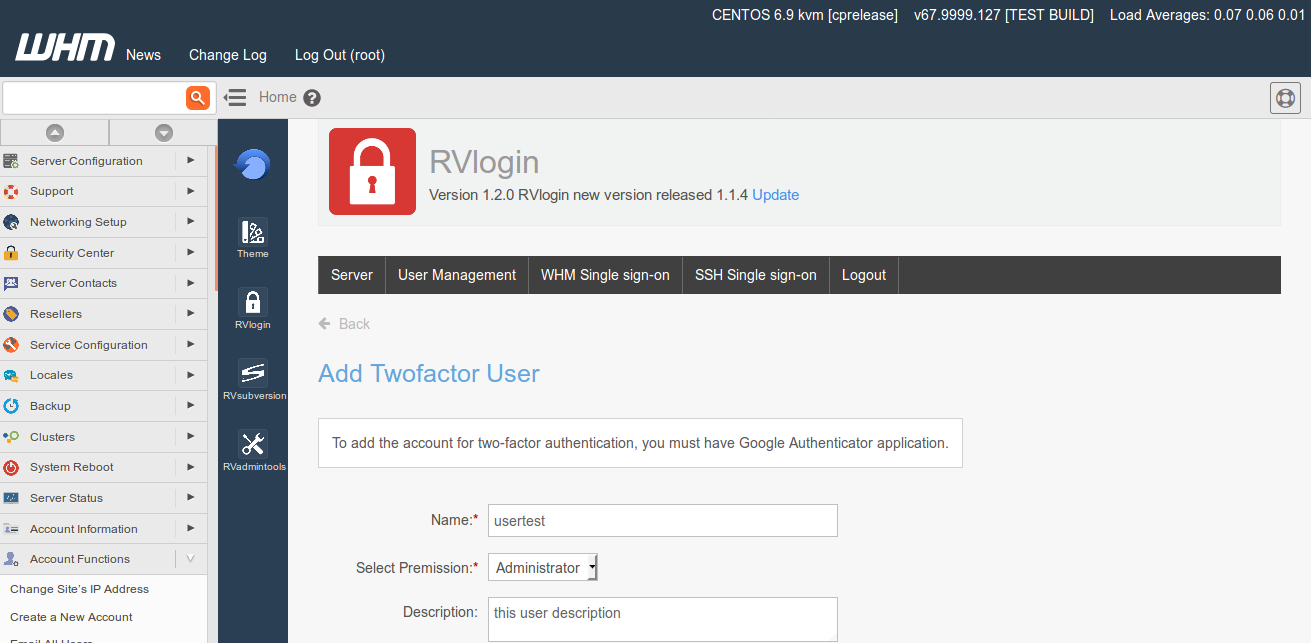
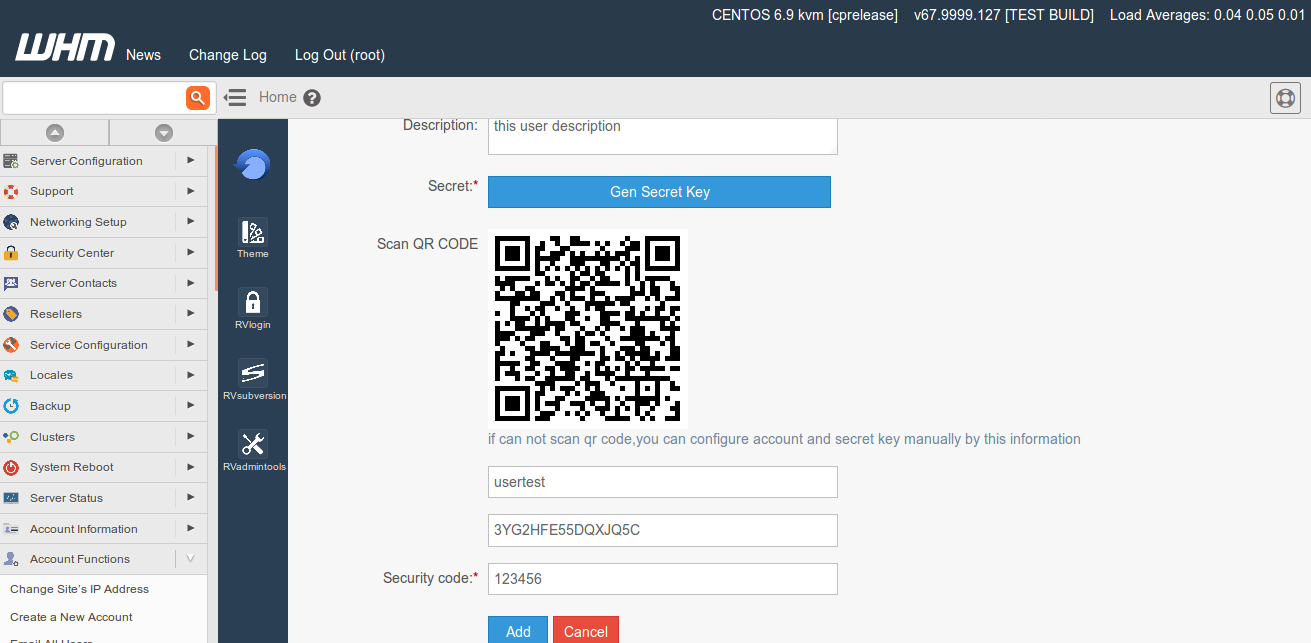
The server access settings here will take effect to both WHM and SSH access.
Articals in this section
-
Access RVlogin Single Sign-on on SSH
Updated on 2025-11-25 07:47:33
-
Edit and Remove Server
Updated on 2025-11-25 07:47:33
-
Cannot access to the destination server via RVlogin SSH Gateway
Updated on 2025-11-18 09:17:14
-
Add Server and Server Group in RVlogin
Updated on 2025-11-25 07:47:33
-
Add User to access to RVlogin Single sign-on
Updated on 2025-11-25 07:47:33
-
Setup RVlogin Single Sign-on Gateway for WHM and SSH
Updated on 2025-11-25 07:47:33
-
Access RVlogin Single sign-on on WHM
Updated on 2025-11-25 07:47:33
